Widgets and notifications
A card's balance on your Home Screen.
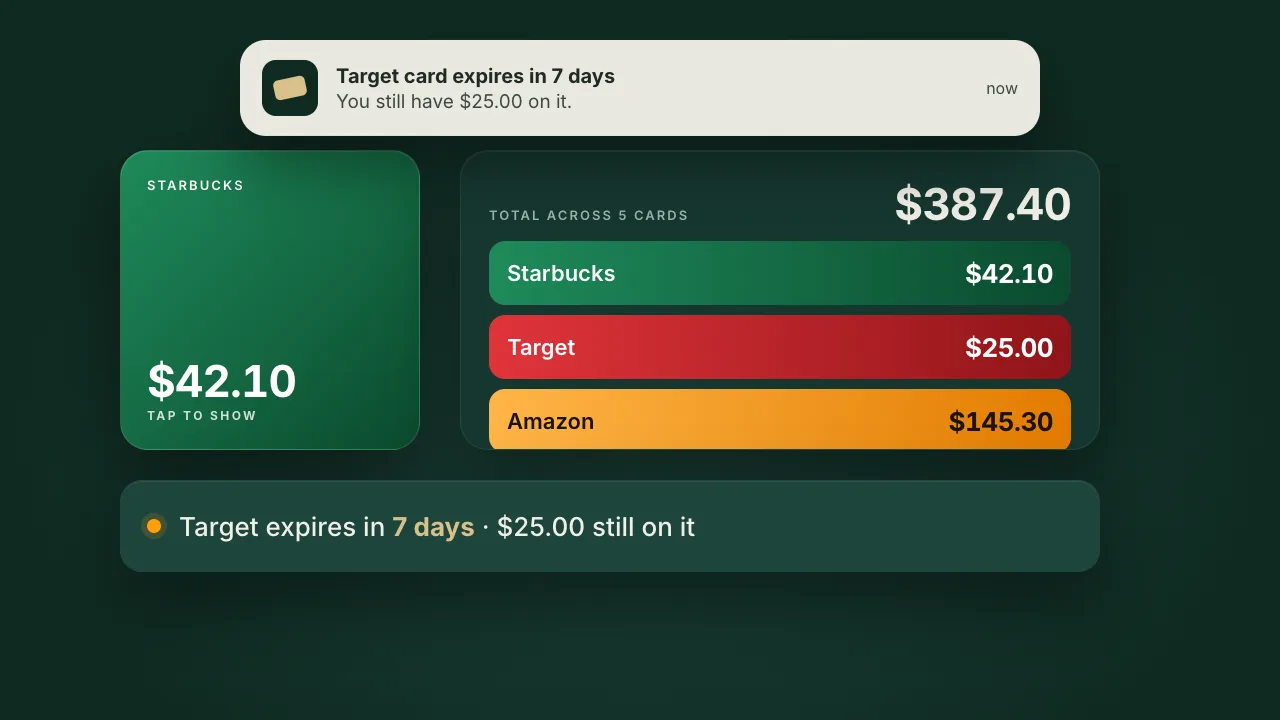
Small, medium, Lock Screen and inline widgets. The app also reminds you 30, 7 and 1 day before a card with money left on it expires.
Free gift card app for iPhone
Scan a card once and GiftVault keeps the barcode, the number, the PIN and whatever balance is left. There is no account to make.
Download on theApp StoreTap a card and the screen becomes a barcode the scanner can read.The number sits underneath for the cashier whose scanner can't read a screen.
What goes in
Scan or type each one once. After that it sits in the stack with its balance, in whatever order you drag it into.
The stack
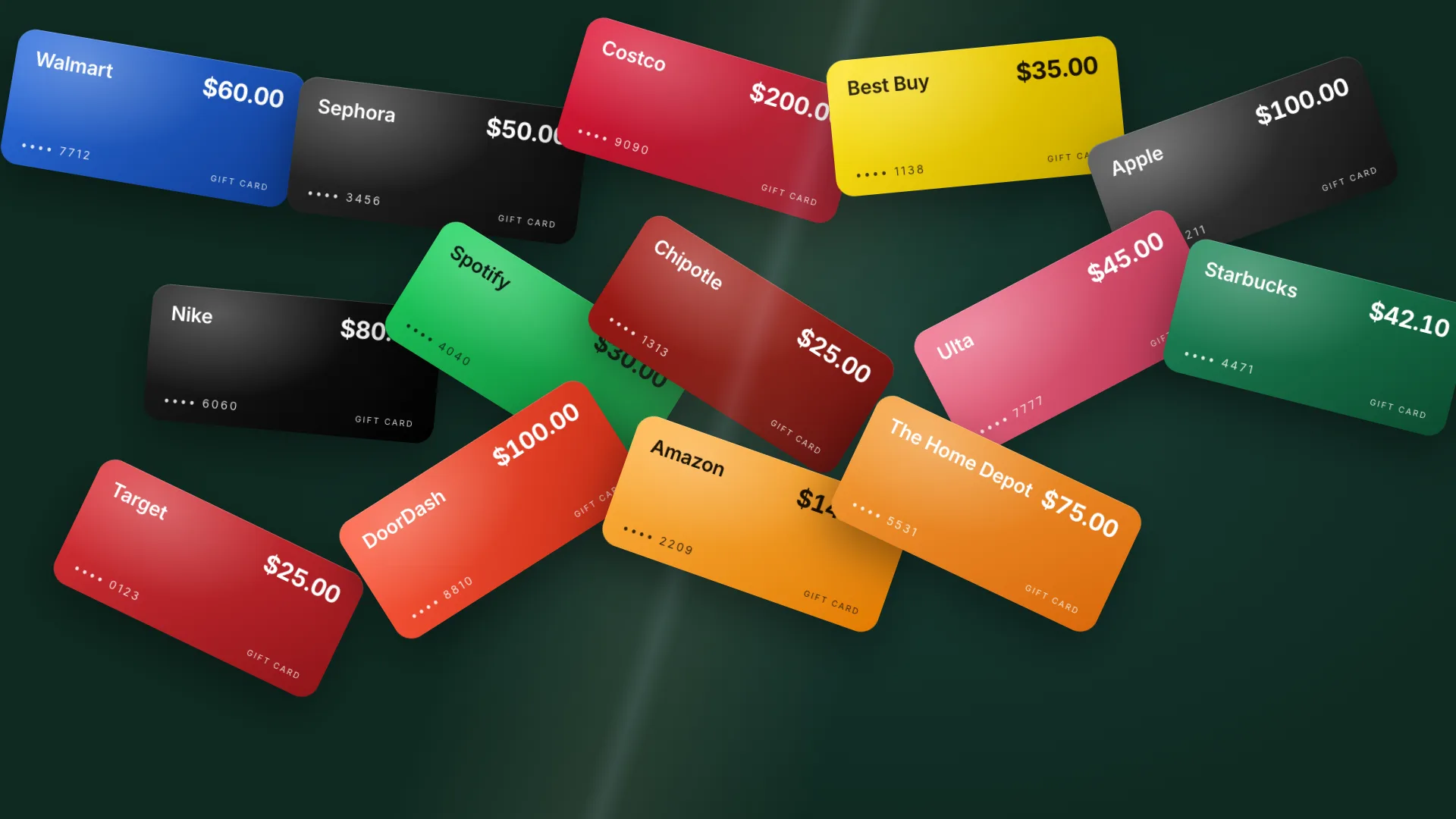
Cards keep their store's colours, so you can spot the Target card without reading. Drag to reorder. The total of every card sits at the top.

Balances
Each Spent, Added or Mark as used entry is a row in the card's ledger with a running total. Backdate a purchase and the rows after it recompute.
No store lets an app read a gift card balance, so GiftVault doesn't fake one.
Check balance copies the number and PIN for two minutes and opens the store's own balance page. When you come back, it asks whether the balance changed.

The film
Every screen and clip in it is a real recording from the app's test runs.
Privacy
There is no GiftVault account and no server that sees a card number. Everything in this grid runs on the device.
Widgets and notifications
Small, medium, Lock Screen and inline widgets. The app also reminds you 30, 7 and 1 day before a card with money left on it expires.
Apple Wallet
The pass is built on your phone. The only thing sent out is a signed manifest, so the barcode and balance never leave the device.
App Lock
Lock right away, after a minute or after five. Card details are hidden in the app switcher.

iCloud
Numbers, PINs and barcodes are end-to-end encrypted fields. Apple can't read them and neither can we.
Scan
It reads the barcode, number and PIN in one pass and understands Code 128, QR, PDF417, Aztec, EAN-13, UPC-A and ITF. You can also import a photo or type the number in.
Light and dark
Bottle green at night and linen by day. The barcode is black on white in both.
iPhone Duo
The layout follows the display rather than the device, so the tab bar becomes a sidebar on the inner screen.


Siri, Spotlight, Shortcuts
Siri, Spotlight and Shortcuts find a card by its name or balance, never by its number. A Shortcut can open straight to the barcode.
Stores
A store that isn't listed still works as a custom card.
Testing
UI tests drive every screen with an accessibility audit attached: Dynamic Type at its largest size, VoiceOver labels, Arabic right to left, Japanese, and a two-hundred-card vault that scrolls like a five-card one.


 Starbucks$42.10
 Target$25.00
 DoorDash$100.00
 Amazon$145.30
 The Home Depot$75.00
Total across 5 cards
$0.00GiftVault is free, with no account, no ads and no tracking. It runs on iPhone and iPhone Duo with iOS 27 or later.
Download on theApp Store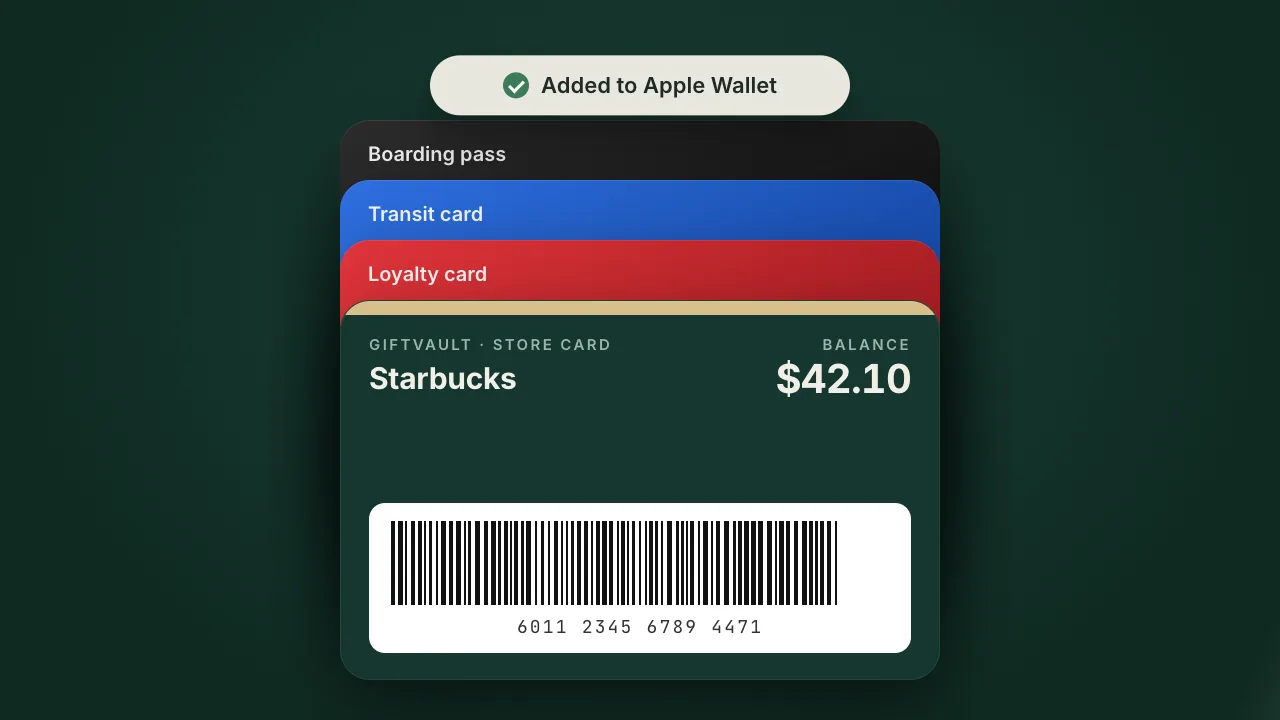

 Walmart
 Apple
 Uber / Uber Eats
 Lowe's
 Best Buy
 Sephora
 Ulta Beauty
 Chipotle
 Dunkin'
 Vanilla Visa / Mastercard
 Visa Prepaid
 Mastercard Prepaid
 American Express Gift Card
 Costco Shop Card
 Nike
 Nordstrom
 Macy's
 Kohl's
 TJ Maxx / Marshalls / HomeGoods
 Panera Bread
 Subway
 McDonald's
 Whole Foods Market
 Trader Joe's
 CVS Pharmacy
 Walgreens
 Grubhub
 Airbnb
 Netflix
 Spotify
 PlayStation Store
 Xbox
 Steam
 Sam's Club
 BJ's Wholesale Club
 Kroger
 Fred Meyer
 Ralphs
 Harris Teeter
 King Soopers
 Fry's Food Stores
 Publix
 Safeway
 Albertsons
 H-E-B
 Wegmans
 ALDI
 Meijer
 Giant Eagle
 Giant Food
 Stop & Shop
 Food Lion
 Hy-Vee
 WinCo Foods
 Sprouts Farmers Market
 ShopRite
 Lidl
 Winn-Dixie
 Raley's
 Dollar General
 Dollar Tree
 Family Dollar
 Five Below
 Ollie's Bargain Outlet
 Ross Dress for Less
 Burlington
 JCPenney
 Dillard's
 Belk
 Saks Fifth Avenue
 Neiman Marcus
 Bloomingdale's
 Von Maur
 Boscov's
 Instacart
 eBay
 Etsy
 Wayfair
 Bed Bath & Beyond
 SHEIN
 Zappos
 QVC
 Chick-fil-A
 Taco Bell
 Wendy's
 Burger King
 Popeyes
 KFC
 Pizza Hut
 Domino's
 Papa Johns
 Little Caesars
 Olive Garden
 LongHorn Steakhouse
 Red Lobster
 Applebee's
 Chili's
 Outback Steakhouse
 Texas Roadhouse
 The Cheesecake Factory
 IHOP
 Denny's
 Cracker Barrel
 Buffalo Wild Wings
 Shake Shack
 Five Guys
 In-N-Out Burger
 Sonic Drive-In
 Dairy Queen
 Jack in the Box
 Arby's
 Wingstop
 Raising Cane's
 Zaxby's
 Whataburger
 Culver's
 Jersey Mike's Subs
 Jimmy John's
 Firehouse Subs
 Potbelly Sandwich Shop
 Panda Express
 Qdoba
 sweetgreen
 CAVA
 Noodles & Company
 Tim Hortons
 Peet's Coffee
 Dutch Bros Coffee
 Caribou Coffee
 Krispy Kreme
 Baskin-Robbins
 Cold Stone Creamery
 Jamba
 Smoothie King
 Auntie Anne's
 Cinnabon
 Einstein Bros. Bagels
 Waffle House
 Red Robin
 TGI Fridays
 P.F. Chang's
 BJ's Restaurant & Brewhouse
 Bonefish Grill
 Carrabba's Italian Grill
 Maggiano's Little Italy
 Ruth's Chris Steak House
 The Capital Grille
 Morton's The Steakhouse
 First Watch
 Portillo's
 Chuy's
 Torchy's Tacos
 El Pollo Loco
 Del Taco
 Moe's Southwest Grill
 Bojangles
 Church's Texas Chicken
 Checkers & Rally's
 White Castle
 Steak 'n Shake
 Carl's Jr. / Hardee's
 Papa Murphy's
 Marco's Pizza
 Blaze Pizza
 MOD Pizza
 Nothing Bundt Cakes
 Crumbl
 Insomnia Cookies
 Tropical Smoothie Cafe
 Gap
 Old Navy
 Banana Republic
 Athleta
 H&M
 Zara
 UNIQLO
 lululemon
 adidas
 Under Armour
 Foot Locker
 Finish Line
 DICK'S Sporting Goods
 REI Co-op
 Bass Pro Shops
 Cabela's
 Academy Sports + Outdoors
 SCHEELS
 Victoria's Secret
 Bath & Body Works
 American Eagle
 Abercrombie & Fitch
 Hollister
 Urban Outfitters
 Anthropologie
 Free People
 J.Crew
 Madewell
 Levi's
 Vans
 Converse
 Columbia Sportswear
 The North Face
 Patagonia
 Coach
 Kate Spade New York
 Michael Kors
 DSW
 Famous Footwear
 Journeys
 Skechers
 Crocs
 Hot Topic
 Express
 Buckle
 PacSun
 Tillys
 Carter's
 The Children's Place
 Primark
 Men's Wearhouse
 Jos. A. Bank
 Lane Bryant
 Chico's
 Talbots
 Ann Taylor
 LOFT
 Lands' End
 L.L.Bean
 New Balance
 MAC Cosmetics
 Sally Beauty
 Bluemercury
 Massage Envy
 European Wax Center
 Great Clips
 Supercuts
 IKEA
 Williams Sonoma
 Pottery Barn
 West Elm
 Crate & Barrel
 CB2
 RH
 Michaels
 Hobby Lobby
 Ace Hardware
 Menards
 Tractor Supply Co.
 Harbor Freight Tools
 Petco
 PetSmart
 Chewy
 The Container Store
 At Home
 Sur La Table
 Yankee Candle
 Hallmark Gold Crown
 Google Play
 Nintendo eShop
 Roblox
 Fortnite V-Bucks
 Blizzard Battle.net
 Riot Games
 Minecraft
 Hulu
 Disney+
 HBO Max
 Paramount+
 Peacock
 Audible
 Barnes & Noble
 Books-A-Million
 GameStop
 Samsung
 Dell
 HP
 Newegg
 B&H Photo Video
 Micro Center
 Staples
 Office Depot / OfficeMax
 Verizon
 AT&T Prepaid
 T-Mobile Prepaid
 AMC Theatres
 Regal
 Cinemark
 Fandango
 Ticketmaster
 StubHub
 Dave & Buster's
 Topgolf
 Chuck E. Cheese
 Bowlero
 Main Event
 Round1
 SeaWorld
 Six Flags
 Disney Gift Card
 Universal Orlando
 Hotels.com
 Expedia
 Southwest Airlines
 Delta Air Lines
 United Airlines
 American Airlines
 JetBlue
 Alaska Airlines
 Spirit Airlines
 Carnival Cruise Line
 Royal Caribbean
 Lyft
 Shell
 BP
 ExxonMobil
 Chevron / Texaco
 Speedway
 7-Eleven
 Wawa
 Sheetz
 Circle K
 Casey's
 Buc-ee's
 Kwik Trip
 QuikTrip
 RaceTrac
 Pilot Flying J
 Love's Travel Stops
 GNC
 The Vitamin Shoppe
 Fanatics
 Groupon
 LEGO
 Build-A-Bear Workshop
 Spafinder

